The fast restaurant till.
Docket turns an Android tablet into a full restaurant till. Take orders, split bills, run tabs, print receipts, and settle cash or card. No training, and it keeps working when the internet doesn't.
Made for pizza shops, cafés and takeaways.
Tap it in. It just works.
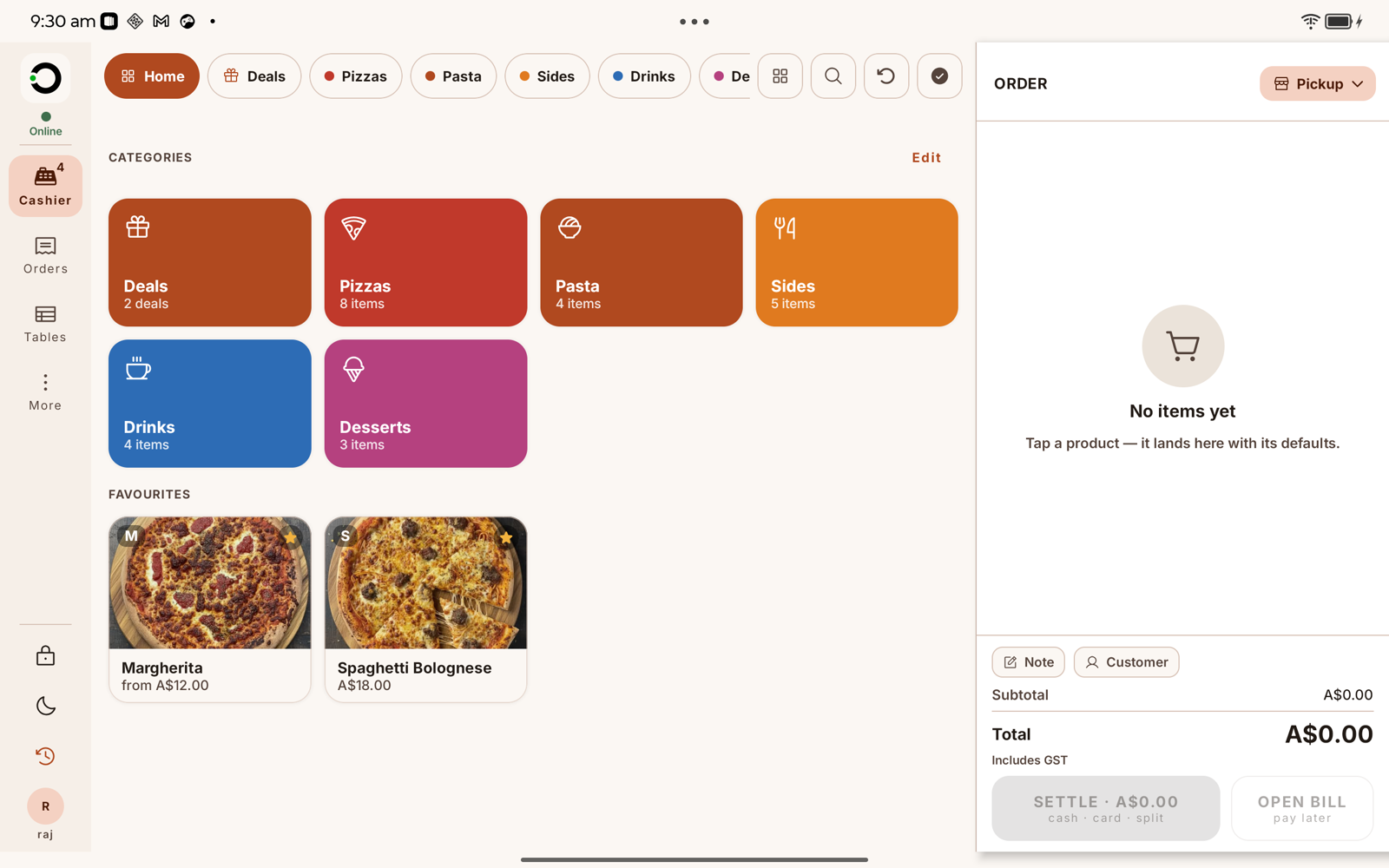
A tap-to-add menu with your categories and favourites, the way your shop actually orders. The live panel keeps a running total as you go.
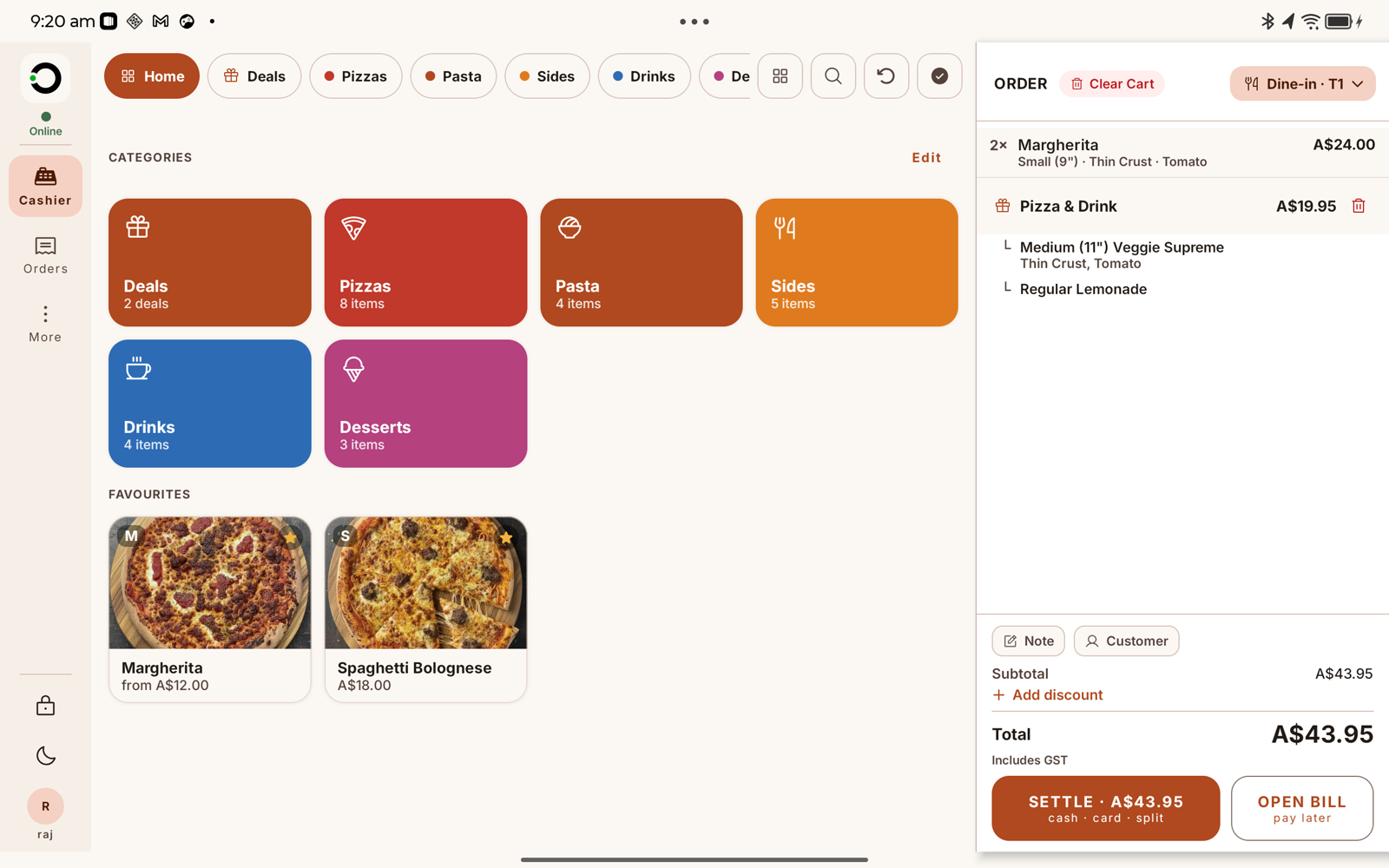
- Modifiers, removed ingredients, half & half pizzas
- Deals and combos priced right
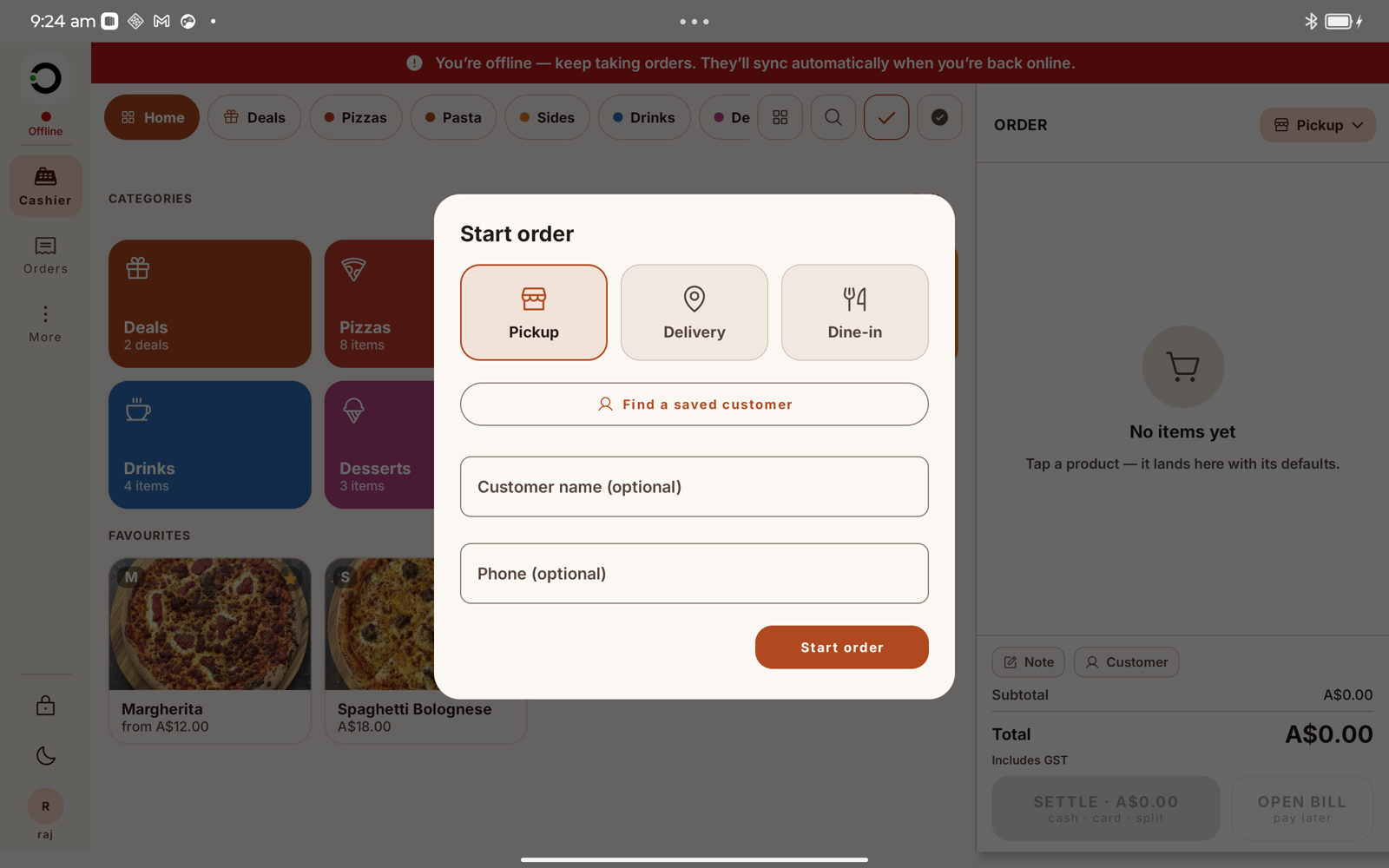
- Pickup, delivery or dine-in, each captures what it needs
CashierCash, card, or split it.
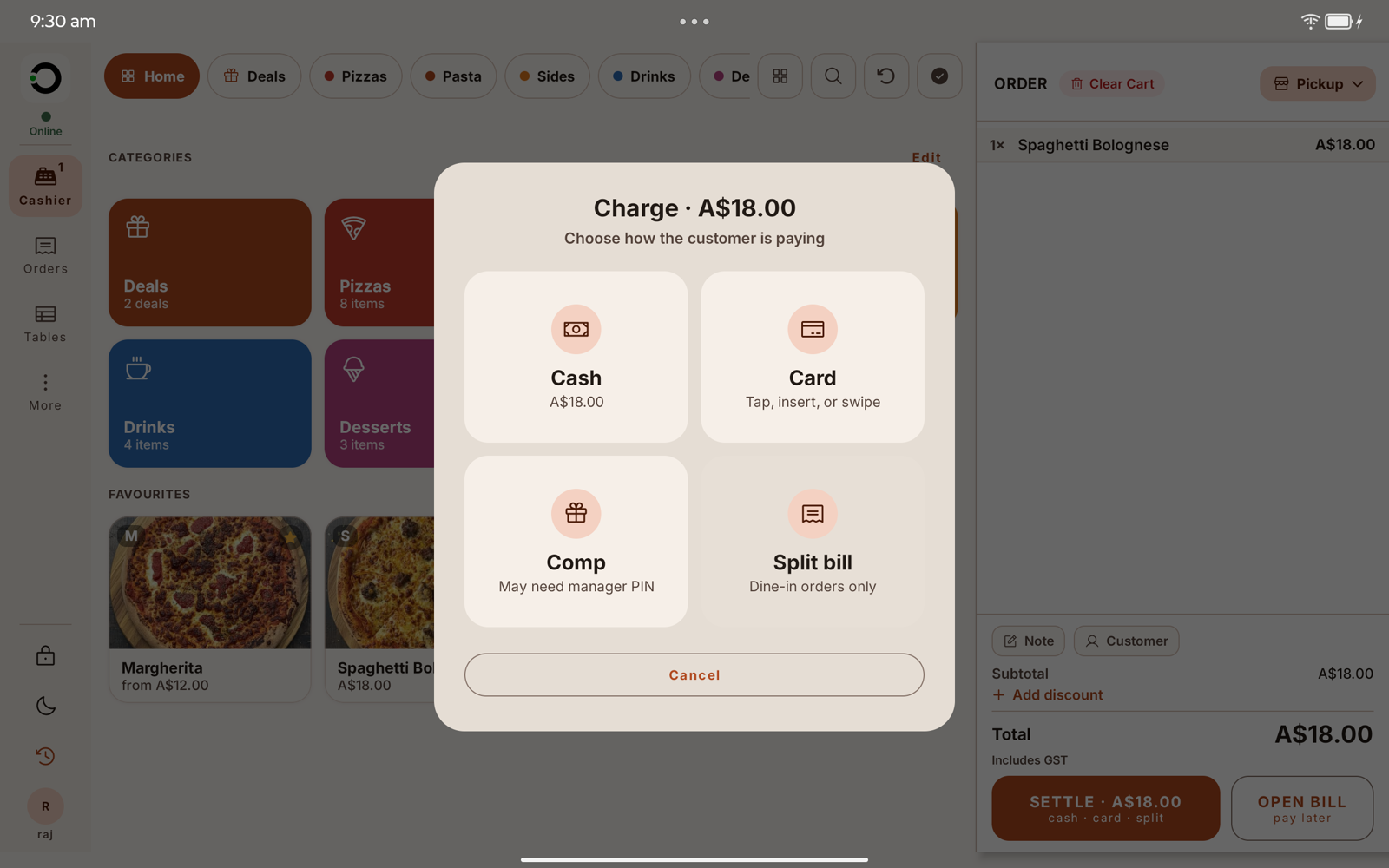
Take the money the way the customer wants to pay, without hunting through menus.
- Cash with tendered amount and change due
- Card on an integrated EFTPOS terminal
- Split the bill by item across guests
- Comps and discounts behind a manager PIN
ChargeFire now, settle later.
Open a bill and send it to the kitchen straight away. Find it and settle it in a couple of taps whenever they're ready.
- Dine-in tables on every order
- Open tabs you can find in two taps
- An orders queue you can filter, settle, refund and reprint
Dine-in · T1The wifi drops. The till doesn't.
A dropped connection doesn't stop service. Keep taking cash orders through the rush. They sync themselves the moment you're back online.
OfflinePrints the docket to the right station.
Receipts and kitchen prep dockets, printed on the spot to standard ESC/POS thermal printers over USB or network. Route each station its own. Reprint anything.
Press and hold to send this order to the kitchen.
Ready in minutes. No training.
Pair it once, sign in, and start selling. A new casual can be serving in their first shift.
Pair the tablet
Pair the tablet to your store once. It stays bound to that shop.
Sign in with a PIN
Staff sign in with a PIN between orders. No personal accounts.
Start selling
The till is ready. Tap the first order and go.
Everything the counter needs. Nothing it doesn't.
Fast enough for a rush
Tap, take payment, next customer. Built to keep the line moving.
No training
Staff pick it up in minutes. It looks like what they expect a till to do.
Keeps working offline
Cash sales never stop when the connection drops. They sync when it's back.
Everything at the counter
Orders, tabs, split bills, receipts, gift cards and end-of-day reports.
Any Android tablet
Standard ESC/POS printers and EFTPOS. No proprietary hardware to buy.
Locked down and private
Device-bound and PIN-gated. No customer data stored on the device.
The questions owners actually ask.
What printers does it work with?
How do card payments work?
What happens when the internet drops?
What hardware do I need?
Is customer data safe?
Can I run more than one till?
Simple, and yours to keep.
Docket is set up and supported by a reseller in your area, so pricing and hardware are matched to your venue. Tell us about your shop and we'll connect you with your local reseller.
Turn your tablet into a till.
Orders in. Bills split. Day sorted. Docket keeps your counter moving.